
1. Login to your Google account that manages this Google Business Profile
(This doesn’t have to be a Gmail account but it usually is for most people)
2. Go to the Google Business Profile for your business by going here… https://business.google.com
3. Click Business Profile Settings…
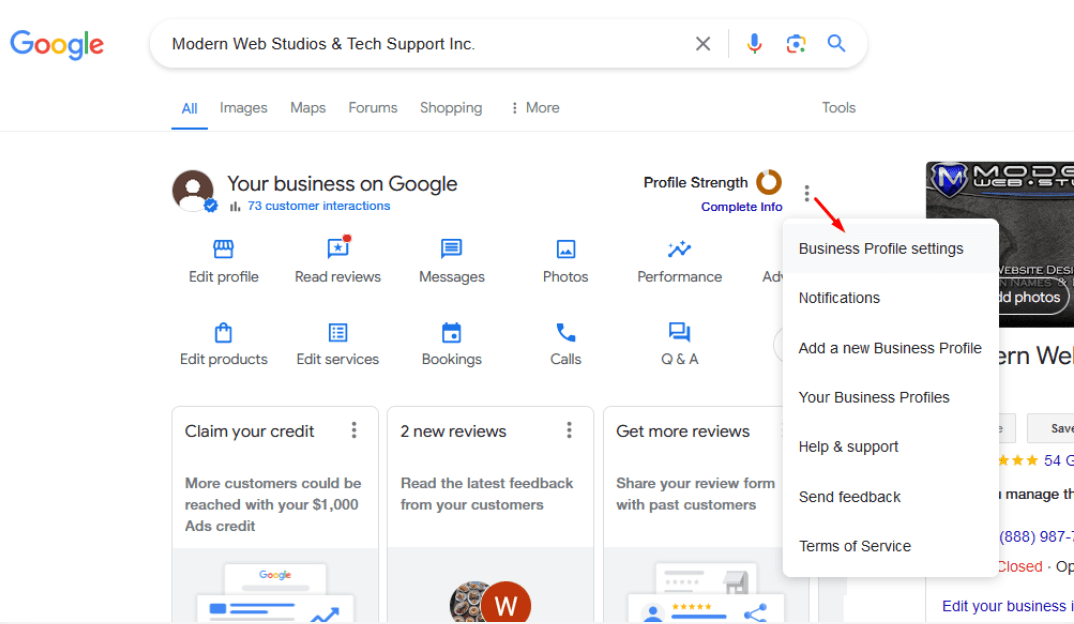
4. Click People and Access

5. Click Add

6. Input the email of the person you want to add, in our case, add this email… [email protected]
IMPORTANT Note: If we are helping you in your account we need to be Managers, if you are adding your Company’s Domain Email for verification purposes, then you need to set the email as “Owner” not Manager!

7. Once you click invite, you’re done, close the popup…

8. They will receive an email confirming it was added, nothing to do there though.
