
 We get it. AI image generators feel like absolute magic. You type in a few words, and boom—you’re staring at a gorgeous, hyper-detailed logo that looks like it belongs to a Fortune 500 company.
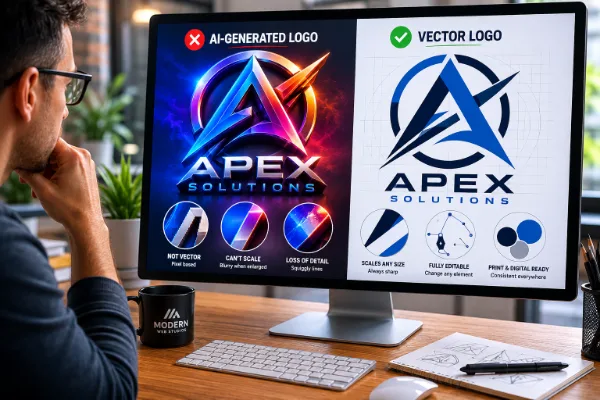
Lately, we’ve had a lot of customers send us these AI-generated logos to use on their websites. And while they look spectacular at first glance, we usually have to break some bad news: most of them are completely unusable and require heavy, expensive modification.
Before you hit “download” on an AI generator and call it a day, let’s talk about why AI logos are a trap, and how you can actually use the technology without shooting your branding in the foot.
The Hard Truth: Why AI Logos Fall Short
While AI is great at making pretty pictures, it fundamentally doesn’t understand the actual job description of a logo. Here is why your AI generation is likely going to break your heart.
- Non-Repeatable Results
Imagine you get a fantastic logo concept, but the text is a little wonky. You think, “No problem, I’ll just ask the AI to change that one letter.”
Good luck.
AI doesn’t “edit”; it regenerates. Asking it to tweak a single detail will usually result in an entirely new image. If you lose your original prompt or try to recreate it later, you will never get the exact same result twice. Your branding becomes a moving target. Additionally, it has no idea the fonts used in its generation and if you ask, it gives a best guess.
- The Zoom-In Disaster (The Squiggle Factor)
AI images look great from a distance, but the devil is in the details. When you zoom in on an AI logo, those crisp, clean geometric lines you thought you had usually turn into a mess of melted squiggles, random artifacts, and asymmetrical chaos. What looks like a straight line on your phone screen looks like a drunk worm when enlarged.
- You Can’t Scale It (Because It’s Not a Vector)
This is the biggest technical dealbreaker. Standard AI outputs raster images (like JPEGs or PNGs), which are made of pixels.
Why Vector Matters:
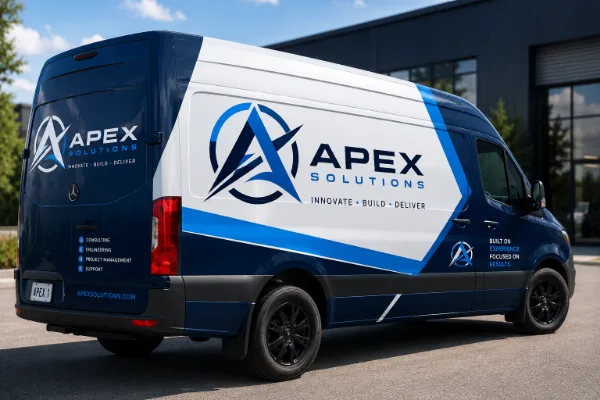 Professional logos must be built as vectors (using math, not pixels). A vector file allows you to scale your logo from the size of a postage stamp to the size of a massive billboard or a vehicle wrap without losing a single ounce of quality. Furthermore, vector files contain layers, allowing you to easily swap out colors or separate the text from the icon.
If you try to blow up a standard AI PNG file for a banner, it will instantly become a blurry, pixelated mess.
The Tech is Evolving, But…
Look, we know what you’re thinking: “But AI is getting smarter every day!”
You’re absolutely right. This isn’t about bashing AI, it’s about understanding it better. AI is moving fast, and it is quickly creeping toward the point where it can generate native vectors with clean, organized layers.
But the reality is? It’s just not there quite yet.
Right now, it’s a matter of understanding the tool’s current technical boundaries. AI is built to generate stunning imagery, but it doesn’t yet have the built-in engineering to hand you a flawless, production-ready vector file out of the box. So until that glorious day arrives, you have to do your homework. The most important visual identifier of your business shouldn’t be left entirely up to the imagination and limitations of a current algorithm.
Where AI Actually Shines
We aren’t here to be party poopers. AI is an incredible tool when used at the right stage of the design process. It is unmatched for:
- Exploring ideas and testing different styles in seconds.
- Generating creative concepts you might not have thought of.
- Helping you visualize a brand direction before spending money.
Think of an AI logo like sketching ideas on a napkin during lunch. The problem is that too many people stop at the napkin. A concept is not the final product.
How to Play the AI Logo Game (And Win)
 If you want to use AI in your branding workflow, you just need a better game plan. Here is how to do it right.
- Learn How to Prompt and What to Look For
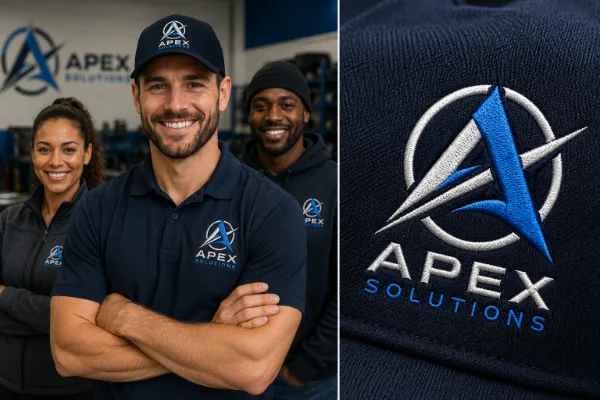
Just asking for a “logo for a bakery” will give you a beautiful, 3D-shaded masterpiece that is useless for 90% of real-world applications (good luck embroidering a 3D gradient onto a chef’s hat). Learn to include terms like “flat vector style,” “2D,” “minimalist,” “clean lines,” and “transparent background” in your prompts.
- Keep It Simple
AI can create a hyper-complex logo that would have taken a master designer weeks to paint. But simpler is always better. By prompting for a simple, flat, 2D design, it will be infinitely easier to modify, tweak, and convert into a usable format later. If you can’t alter or tweak your logo down the road, your branding message suffers because you’ll always have something that looks “similar” but isn’t exact.
- Use AI for the Concept, Then Pay to Vector It
Use AI to get your idea 80% of the way there. Once you have a concept you love, take that image to a professional human designer. Pay them to redraw it as a clean, scalable vector file. They can fix the weird squiggly lines, perfect the geometry, and hand you the actual files you need to run a business.
The Takeaway: Plan Ahead
It is incredibly frustrating to launch a business, buy a domain, get your website up, and then realize six months later when you go to order business cards, banners, or vehicle wraps that your logo file is unusable.
Save yourself the headache. Use AI to dream up the vision, but invest in the proper files so your brand looks just as sharp on the side of a truck as it does on your computer screen.
